Your Nintendo Switch won’t turn on. Your OLED model charges at a crawl. That frayed cable near the connector has you worried. If any of these scenarios sound familiar, you’re dealing with a power cord issue, and you’re definitely not alone. The Nintendo Switch power cord is one of the most critical pieces of hardware you’ll own for your console, yet it’s often the last thing gamers think about until something goes wrong. Whether you’re running a handheld portable setup or docked at home, understanding how your Switch charges, recognizing when your power cord is failing, and knowing where to find a reliable replacement can save you hundreds of dollars and prevent game-interrupting frustration. This guide covers everything from official specifications to troubleshooting tips and maintenance practices that’ll keep your console charging smoothly for years to come.
Key Takeaways
- The official Nintendo Switch power cord is a 15V/2.6A USB-C charger that outputs 39 watts and costs around $30, making it the safest choice for your console despite third-party alternatives.
- A failing Nintendo Switch power cord typically shows intermittent charging, slow charging, physical damage, or heat buildup—test with a friend’s charger or clean the port with compressed air before assuming you need a replacement.
- Store your power cord loosely coiled with velcro ties, avoid extreme temperatures and moisture, and insert or remove the connector gently to extend your cable’s lifespan and prevent internal wire breaks.
- Certified third-party chargers from brands like Anker, Belkin, and PowerA are reliable alternatives at $15–$20, but always verify compatibility with your specific Switch model and buy from reputable retailers to avoid counterfeits.
- If your Switch won’t charge despite a working power cord, follow a diagnostic flow: restart the console, try a different cable, clean the USB-C port with compressed air, and inspect the connector for physical damage before seeking professional repair.
- Gamers with multiple Switch models should invest in dedicated chargers for each console to reduce cable wear and ensure backup charging capability, especially for those who travel frequently.
Understanding Nintendo Switch Charging Basics
Official Power Cord Specifications and Compatibility
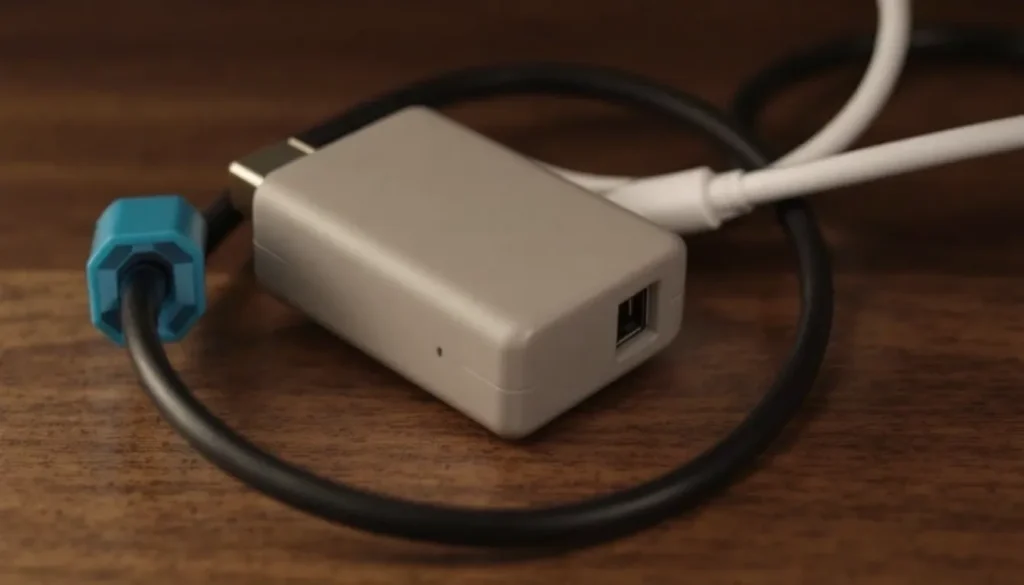
The official Nintendo Switch power adapter is a 15V/2.6A USB-C charger that outputs approximately 39 watts. This isn’t just any USB-C power supply, Nintendo engineered it specifically for the Switch to balance fast charging with thermal stability. The cable itself is roughly 5.9 feet long, which is decent for reaching from a wall outlet to your dock or for charging while you play handheld.
Compatibility matters here. While USB-C is universal in theory, not all USB-C chargers will work safely with your Switch. The console expects a specific voltage and amperage profile. Using an incompatible charger might charge slowly, damage the battery, or worse, permanently damage the console’s charging circuitry. Nintendo‘s official adapter costs around $30, which is worth the peace of mind.
How the Charging System Works Across Switch Models
The original Switch uses a USB-C charging port connected to a 4310mAh battery. When docked, the console charges while simultaneously powering the TV output through the dock’s USB-C pass-through. The charging speed is roughly 5-6% per hour when playing in handheld mode and faster when the console is asleep.
Switch Lite uses the same 15V/2.6A charging specification but has a smaller 3570mAh battery due to its compact form factor. Switch OLED bumped the battery to 4310mAh (same as the original) but added improved thermal management, meaning it handles sustained play sessions better without the battery degrading as quickly.
One crucial detail: the Switch’s charging port doesn’t feature the data-transfer lines that standard USB-C has. This is intentional, it’s a safety feature that prevents accidental interference with the system’s firmware or storage if you connect it to the wrong device. This also means you can’t use the Switch as a storage device via USB-C, but that’s a trade-off for security.
Nintendo Switch Power Cord Models and What Sets Them Apart
Original Switch USB-C Power Adapter
The standard Switch charger is the HAC-003 model (or iterations like the HAC-003(USA)). It’s the baseline that came with your console if you bought it between 2017 and now. The build quality is solid, the connector clicks satisfyingly, and the cable doesn’t fray easily if you treat it right. But, some early units developed loose connections over time, which is why Nintendo issues replacements even outside the standard warranty.
This adapter is region-agnostic, though labeling varies. You’ll see them sold worldwide, and they work identically whether you’re in North America, Europe, or Japan. The power brick itself is compact enough to fit in a backpack, which matters for handheld players.
Switch Lite and Switch OLED Charging Differences
Switch Lite shipped with the same HAC-003 charger, maintaining the 15V/2.6A standard. But, because the Lite has no dock and no TV output, the charging design is simpler, there’s no power delivery to external hardware, just the battery. This means Lite chargers can theoretically be slightly less robust, but in practice, they’re built to the same standard.
Switch OLED (model HEG-001) also uses a USB-C charger, but Nintendo quietly upgraded it to the HEG-003 model. The specs remain 15V/2.6A, but users report slightly faster charging curves and better temperature regulation. If you’re comparing ac adapter for Nintendo Switch models, the OLED version edges ahead in real-world performance due to the improved thermal design of the console itself, not the adapter.
One note: Switch Lite doesn’t have a dock connection point, so if you’re buying a power cord for Lite, you’re purely buying a handheld charger. For OLED and original Switch, you need a charger that can power the dock as well, which the official adapters handle flawlessly.
Third-Party and Alternative Charging Options
Third-party chargers are cheaper, usually $15-$25, but quality varies wildly. Brands like Anker, Belkin, and PowerA make certified chargers that meet Nintendo’s safety standards. These generally work fine, though they sometimes charge slightly slower due to minor amperage differences.
The risky zone is the $5-$10 no-name chargers from marketplace sellers. These often skip proper voltage regulation, leading to slow charging, overheating, or port damage. Avoid them unless you like expensive repairs.
A practical alternative is using a high-quality USB-C power bank rated for 15V/2.6A or higher. This works great for travel and handheld gaming when you don’t have access to a wall outlet. Just make sure it supports USB Power Delivery (USB-PD) at the right wattage, at minimum 39W. Battery packs from reputable brands like Anker or Baseus work reliably here.
How to Identify a Damaged or Failing Power Cord
Common Signs of Power Cord Failure
A failing power cord usually shows one or more of these telltale signs:
Intermittent charging – The console charges for a few minutes, then stops, then charges again without you moving the cable. This typically indicates a loose connection inside the connector head or a damaged trace on the PCB inside the power brick.
Slow charging – If your Switch suddenly takes twice as long to charge but was fine before, it’s not always the cord, but it’s the most common culprit. Battery degradation after 3+ years is possible, but a fraying cable that’s partially disconnecting is more likely.
Physical damage – Look at the cable sheath near the connector and where it meets the power brick. Small cracks in the insulation aren’t immediately dangerous, but they expose the wires and increase the risk of short circuits or electrical hazards.
Heat buildup – If the power brick gets uncomfortably hot during charging (too hot to touch comfortably), the internal components might be failing. The standard adapter should stay warm but not hot.
Burnt smell or discoloration – Any charred appearance on the power brick or a burning smell means stop using it immediately. This is a fire hazard and indicates internal component failure.
Port connector corrosion – If the USB-C port on your Switch has visible green or white crusty buildup, that’s corrosion. This usually comes from humidity or liquid exposure, not the cable itself, but it’ll kill the charging port fast.
Testing Your Power Cord Before Replacement
Before you rush to buy a replacement, confirm the cord is actually the problem:
-
Swap cables with a friend – If another Switch user’s charger works perfectly with your console, your cord is likely the issue. If your cord doesn’t work with their Switch, same conclusion.
-
Clean the port – Use a small, dry brush or compressed air to clear any lint or debris from your Switch’s USB-C port. Lint buildup can create a poor connection that mimics cord failure.
-
Try a different power outlet – Faulty outlets can seem like bad chargers. Test the outlet with a lamp or other device first.
-
Check for liquid damage – If your Switch got wet recently, the issue might be internal corrosion on the charging board, not the external cord. You’ll need professional repair for this.
-
Inspect the connector for cracks – Look at the plastic connector head under bright light. Hairline cracks in the connector head itself usually mean replacement time. These are harder to fix than fraying cable sheath.
Finding and Purchasing the Right Replacement Power Cord
Official Nintendo Replacements vs. Third-Party Alternatives
Nintendo’s official replacement adapter is the safest choice. You get a full warranty, guaranteed compatibility, and peace of mind. You can grab one from the Nintendo Store, Amazon, or most major retailers for $29.99 USD. For Lite owners, it’s the same price. For OLED owners, you might see the newer HEG-003 model, also at the same price point.
Third-party alternatives offer savings. A certified charger from Anker or Belkin runs $15-$20 and performs nearly identically to Nintendo’s official unit. The key word is “certified”, look for MFi (Made for iPhone/iPad) certification or explicit Nintendo approval. Brands like PowerA are officially licensed by Nintendo, so they’re reliable choices. But, when looking for an ac adapter for Nintendo Switch, always verify compatibility with your specific model. The packaging or product description should explicitly state which Switch models it supports.
The downside of third-party chargers: no warranty directly from Nintendo, and if something goes wrong, you’re dealing with the third-party manufacturer’s customer service, which can be slower. That said, reputable brands stand behind their products.
Where to Buy and What to Avoid
Stick to these sources:
- Nintendo Store – Official, guaranteed authentic, full warranty.
- Amazon – Filter for “Amazon Basics” (surprisingly solid) or verified third-party brands. Watch the reviews closely: multiple complaints about slow charging or overheating are red flags.
- Best Buy – Carries official Nintendo adapters and certified third-party options. Return policy is generous.
- Target, Walmart – Standard retail locations with decent return policies if the charger fails.
- Authorized Nintendo retailers – Game stores, electronics chains that carry Nintendo products.
Avoid:
- Marketplace sellers with minimal reviews – That $8 charger from an unknown vendor? Skip it.
- Counterfeits on third-party marketplaces – Check seller ratings carefully. If something is priced way too low, it’s probably fake.
- Generic USB-C chargers without power delivery – Just because it has a USB-C connector doesn’t mean it’ll charge your Switch properly.
- Cables bundled with “gaming bundles” – Cheap bundle deals often include knockoff chargers. You’re better off buying separately.
When ordering online, verify the seller’s return policy. If the charger doesn’t work, you want to be able to return it within 30 days. For on-site purchases, keep the receipt and packaging until you’ve confirmed the charger works for at least a few hours.
Troubleshooting Common Nintendo Switch Charging Issues
Console Not Charging Even though Using a Power Cord
This is the most frustrating scenario. Your cable is plugged in, the wall outlet is fine, but the Switch either shows no charging indicator or shows one briefly then stops. Here’s the diagnostic flow:
Step 1: Restart the console. Hold the power button for 15 seconds to force a full shutdown. Then wait 30 seconds and turn it back on. Sometimes a software glitch blocks charging detection even when power is reaching the battery.
Step 2: Try a different power cable. Borrow a friend’s charger or use an alternative USB-C cable (if you have one that outputs 15V/2.6A). If charging begins immediately, your original cable is bad.
Step 3: Check the USB-C port for debris. Look directly into the port with a flashlight. You’ll see small metal pins inside. Lint, dirt, or corrosion on these pins prevents connection. Use compressed air or a dry brush to clean gently. Don’t use liquid cleaners, they’ll cause corrosion.
Step 4: Inspect the cable’s connector head. The USB-C connector has two small rectangular areas with metal contacts on the sides. If these are bent, blackened, or clearly damaged, the cable is dead and needs replacement.
Step 5: Test with the console in sleep mode. If the Switch only charges when completely powered off, you might have a power delivery IC issue on the motherboard. This requires professional repair.
If none of these steps work, you’re likely looking at internal hardware failure, and you’ll need Nintendo’s repair service or a qualified tech.
Slow Charging and Overheating Problems
Slow charging is annoying but not always dangerous. A few causes:
Playing while charging – The Switch prioritizes battery stability over charging speed when you’re actively using it. If you’re gaming while plugged in, expect 1-2% per hour instead of 5-6%. This is normal and by design.
Underpowered charger – A charger that outputs less than 15V or 2.6A will charge slowly. Check the specs on your third-party adapter. It should explicitly say “15V/2.6A” or “39W”.
Damaged cable reducing amperage flow – Small internal breaks in the power cable reduce the effective current. This shows up as slow charging even with a compatible charger.
Battery age – After 3-4 years of daily use, the battery’s charge capacity diminishes. If you’re consistently hitting slow charging but using an official charger and a clean port, the battery itself might need replacement. Nintendo charges around $45-$55 for a battery replacement service.
Overheating during charging usually indicates a problem:
- A faulty power brick – If the charger itself gets too hot to touch, stop using it immediately. This signals failing internal capacitors or voltage regulators.
- Environmental heat – Charging in a hot room (above 80°F/26°C) or leaving the console in direct sunlight while charging causes thermal stress. Move to a cooler spot.
- Damaged charging circuit – If the dock or console’s internal charging components are failing, they’ll generate excess heat. Professional repair is needed.
A normal charger will be warm but not hot. You should be able to hold it comfortably for 10+ seconds without pain.
USB-C Port Issues and When to Seek Professional Help
The USB-C port is where the cable connects. It’s a delicate piece, and once it’s damaged, you’re usually looking at professional repair. Signs of port failure:
- Loose connector – The cable wiggles even when fully inserted. This is a physical problem with the port contacts or socket itself.
- Charger falls out easily – A good connection should grip the cable firmly. If the cable slides out with minimal resistance, the socket is wearing out.
- Green/white crusty residue inside the port – Corrosion from moisture. This will get worse and eventually short the port.
When to DIY fix:
If the issue is just lint or debris, carefully clean the port with compressed air. That’s it, don’t poke around with anything else.
When to seek professional help:
If the port is physically loose, corroded, or visibly damaged, or if you’re seeing none of the above but still can’t charge, take the console to a qualified Nintendo repair center or a reputable local tech shop. Nintendo’s official repair service handles port replacement for around $80-$100 plus shipping. Third-party repair shops vary, but expect $50-$150 depending on your location.
DIY port repair is technically possible but requires micro-soldering experience. Unless you’ve done this before, it’s worth paying for professional work. A botched repair can destroy the entire console.
Tips for Extending Your Power Cord’s Lifespan
Proper Storage and Cable Management
How you store your cable matters more than most people realize. Constant bending, tension, and flexing at the connector cause internal wire breaks that lead to intermittent charging.
Coil it loosely – Don’t wrap the cable tightly around the power brick. This creates stress points where the cord bends sharply. Instead, coil it in loose loops (about 6 inches in diameter) and secure with a velcro cable tie. Leave extra slack.
Protect the connector ends – Both ends of the cable (the USB-C connector and the power brick connection) are vulnerable. Consider a protective sleeve or case for the USB-C end, especially if you travel frequently. Some users wrap the connector area with a small piece of fabric or foam.
Avoid extreme temperatures – Store the cable in a cool, dry place. Heat degrades the insulation and internal components. Don’t leave it in a hot car or direct sunlight for extended periods.
Keep it away from moisture – Humidity and water damage the cable and power brick. Store in a dry closet or drawer, not near a sink or bathroom.
Use a cable organizer – Desk cable organizers or travel pouches keep the cord organized and prevent kinks. Brands like those discussed at Nintendo Life often recommend affordable cable storage solutions.
Best Practices for Safe Daily Use
Day-to-day habits determine how long your power cord survives.
Insert and remove the connector gently – Don’t yank the cable out of the port. Grip it by the connector body and pull straight out. Twisting or pulling at an angle stresses the internal wires.
Charge in a clean environment – Dust and particles can enter the USB-C port. Keep the charging area relatively clean and consider covering the port when not charging.
Avoid charging under heavy load – If your console is running a demanding game, docked, and outputting to a TV, the charging system is working overtime. The power brick gets hotter, and the battery is pushed harder. Charge when the console is in sleep mode or off whenever possible.
Don’t charge overnight constantly – Leaving the console plugged in 24/7 keeps the battery in a constant trickle-charge state, which degrades lithium batteries faster. Unplug it once it’s fully charged, or use a smart charger that cuts power after reaching 100%.
Check the cable regularly – Once a month, inspect the cable for fraying, cracks, or discoloration. Catching damage early means you replace the cable before it fails completely.
Use official chargers when possible – While certified third-party options work fine, official Nintendo adapters are engineered specifically for the hardware. They handle edge cases and thermal stress better. If you have multiple Switch models, investing in an official charger for each is worth the cost. When looking for an ac adapter for Nintendo Switch gaming or travel, pairing it with a quality carrying case can protect both the console and the cable from physical damage.
If you use a power bank, choose wisely – USB-C power banks are convenient, but cheap ones can damage your battery faster. Stick with reputable brands like Anker or Baseus that output stable power. Verify it supports at least 15V/2.6A before relying on it as your primary charger.
One practical tip from Siliconera: gamers who travel frequently should carry two chargers, an official one for home and a certified third-party option as a backup. This setup ensures you’re never caught without charging capability and spreads wear across two cables.
Temperature regulation also matters. During extended gaming sessions, the Switch generates heat. If you’re charging while gaming, ensure the console has airflow. Don’t use it in an enclosed space (like a case with poor ventilation) while plugged in. This combination creates a heat trap that stresses both the battery and the charging circuitry.
Finally, if you own multiple Switch models, maybe a Lite for travel and an OLED for home, don’t assume one charger works for all. While the specs are identical, having dedicated chargers for each console reduces strain on each cable and ensures you’re never stuck without a working charger at your most-used location. A $30 investment per console is cheap insurance against the frustration of a dead battery mid-gaming session.
Conclusion
Your Nintendo Switch power cord is more than just a cable, it’s the lifeline between your console and uninterrupted gaming. Understanding the charging specs, recognizing early failure signs, and knowing where to source a reliable replacement keeps you playing instead of troubleshooting.
The key takeaways: stick with official Nintendo adapters or certified third-party options, treat your cable with care through proper storage and gentle handling, and test before you replace. When issues do arise, follow the diagnostic steps in order, most charging problems are fixable without professional help.
If you’re shopping for a replacement now, you’re looking at roughly $30 for an official Nintendo adapter, which is a small price compared to the cost of professional repair or a dead console mid-session. For travelers or those with multiple Switch systems, investing in backup chargers from reputable brands like Anker or PowerA provides insurance against failure without very costly.
With the right power cord and smart maintenance habits, your Switch will charge reliably for years. That means more time gaming and less time dealing with hardware frustration, which, let’s be honest, is what we’re all after. For more Nintendo Switch content, checks out the Nintendo Switch Archives to explore guides, reviews, and accessory recommendations that’ll optimize your entire gaming setup.
Stay charged, and happy gaming.