Modding a Nintendo Switch has evolved from a niche hobby into a mainstream way for gamers to customize their consoles, unlock new features, and extend their devices’ lifespan. Whether you’re looking to install custom skins, enable game enhancements, or run emulated titles, Nintendo Switch mods offer endless possibilities. But the landscape shifted significantly in 2026, with new tools, stricter anti-piracy measures from Nintendo, and clearer community standards making the process simultaneously easier and riskier. This guide walks you through what mods are, why gamers pursue them, the specific types available, safe installation practices, and the legal reality you need to understand before making changes to your console.
Key Takeaways
- Nintendo Switch mods range from safe cosmetic upgrades like replacement shells to risky software modifications, with the safest options carrying zero warranty or ban risk.
- Installing Nintendo Switch mods requires disconnecting from Nintendo’s servers before any software changes, as even one online session with a modded console can trigger automatic account bans.
- Hardware modifications like replacement shells and thumbstick upgrades are beginner-friendly and undetectable, while emulation and online-integrated mods represent the highest legal and enforcement risks.
- Always download mod tools from reputable sources like GitHub and established Discord communities, back up your system before modifications, and follow step-by-step installation guides to avoid bricking your console.
- Modding your Switch voids your official Nintendo warranty permanently and sacrifices online gaming eligibility, so consider purchasing a second console if you want to maintain access to legitimate Nintendo services.
- The Nintendo Switch mod community operates on a distinction between educational resources and illegal distribution—using mods for personal offline use is widely tolerated, while selling modded consoles or pirated ROMs is universally condemned.
What Are Nintendo Switch Mods and Why Gamers Are Using Them
Nintendo Switch mods are modifications, either hardware-based or software-based, that alter how your console operates or how games perform. They range from simple cosmetic upgrades like custom shells and skins to advanced tweaks that change game behavior, improve performance, or enable homebrew software. Gamers mod their Switch for multiple reasons: some want enhanced gameplay through frame rate unlocks or visual improvements, others seek customization for personal expression, and enthusiasts explore emulation to preserve classic games.
The modding community exploded after the first vulnerability exploits hit the original Switch model around 2018. By 2026, the practice has matured significantly. Modders have created sophisticated tools, comprehensive guides, and support networks. But, Nintendo‘s enforcement has also ramped up, the company issued thousands of console bans in recent years for users running modified software. The tension between innovation and legal risk defines the modern mod scene: gamers must weigh the potential benefits against warranty loss and the theoretical danger of account suspension.
Performance mods are particularly attractive. A modded Switch can unlock higher frame rates in games that originally capped at 30fps, reduce input lag, or run demanding titles that the standard hardware technically shouldn’t handle. For competitive gamers, even small frame rate gains translate to faster reaction times. For casual players, the appeal is often aesthetic, custom themes, UI overhauls, or graphical tweaks that make their console feel unique.
The reasons extend beyond performance. Accessibility is a hidden benefit: some mods add features Nintendo never implemented natively, like advanced controller remapping or visual accessibility tools for players with disabilities. Preservation-minded gamers use mods to run emulators, ensuring older titles survive even if digital storefronts shut down. It’s a complex ecosystem where legitimate technical curiosity overlaps with copyright concerns.
Types of Nintendo Switch Mods Worth Exploring
Hardware Modifications and Skins
The safest, most beginner-friendly mods are hardware cosmetics. Replacement shells, screen protectors, and custom cases don’t alter your console’s functionality, they just change how it looks. Brands like Basstop, Nyxi, and Dbrand produce shells in hundreds of colors and designs. Installation is straightforward: power down, unscrew the console, snap out the original shell, and fit the new one. Most replacements take 15–20 minutes and require only a small screwdriver.
Screen protectors and dock skins follow the same principle. A tempered glass protector reduces scratches and glare on the handheld screen. Dock skins are purely aesthetic, vinyl wraps that personalize the dock without affecting performance. These modifications carry zero risk of ban or warranty issues because they’re purely external and reversible.
Thumbstick replacements are another hardware category, though more invasive. The Switch’s Joy-Con sticks are notoriously prone to drift, a hardware defect where the analog stick registers input without player input. Replacement modules from companies like GuliKit or Bozily offer mechanical alternatives that supposedly last longer. Installation requires opening the Joy-Con and swapping the stick module, a 10-minute task that voids Nintendo’s warranty but is completely undetectable.
Software Mods and Game Enhancements
This is where things get legally gray. Software mods range from harmless UI customizations to game-altering hacks. At the lighter end, custom themes and menu layouts don’t modify any game code, they just change your Switch’s visual appearance. Homebrew applications (small programs not sold through the eShop) fall into this space too: some offer emulation, media playback, or utility functions.
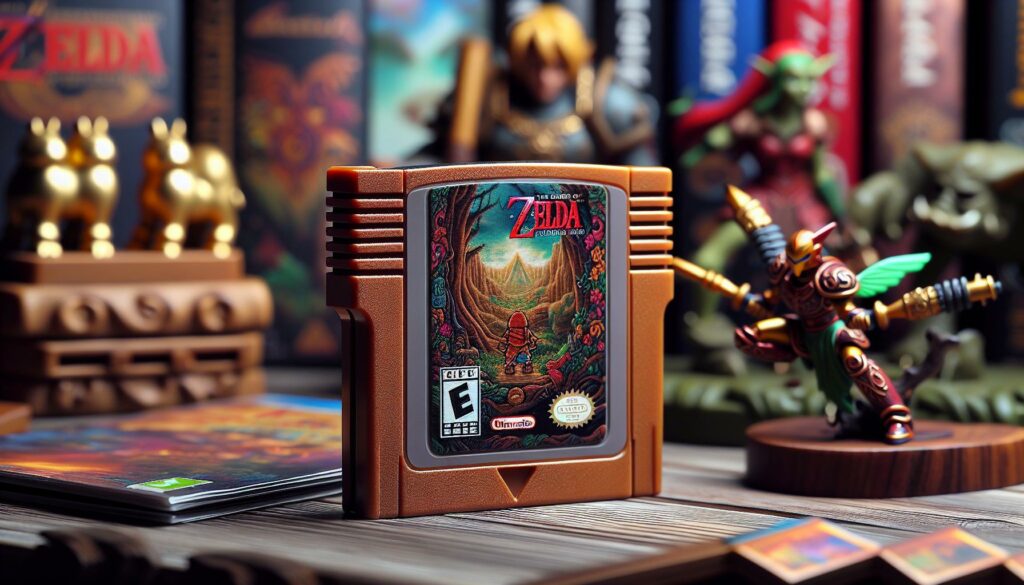
Game-specific mods are more controversial. Using tools like Nexus Mods, the community has created texture packs, balance adjustments, and content additions for modded Switch versions of games. A popular example: framerate unlock mods for The Legend of Zelda: Breath of the Wild that push the game beyond its standard 30fps cap (or 60fps in docked mode). Similar mods exist for Super Smash Bros. Ultimate, allowing custom character skins or tweaked movesets, strictly for offline single-player use.
Online-integrated mods are dangerous. Nintendo actively scans for modified clients connecting to its servers and bans consoles accordingly. Mods that affect online gameplay, multiplayer metrics, or connect to Nintendo’s infrastructure are the highest-risk category. The message from the community is clear: offline mods are tolerated: online cheating triggers swift bans.
Performance and Emulation Mods
Emulation is the frontier of Switch modding and the area drawing the most legal scrutiny. Emulators allow your Switch to run games from older systems, NES, SNES, N64, GameCube, Dreamcast, and more. Programs like Yuzu and Dolphin (ported to Switch) let homebrew developers create fully functional emulation on the hardware. For preservation enthusiasts, this is a feature, not a bug: it keeps classic games alive.
Performance mods tied to game patches are equally popular. Developers use custom frameworks to unlock visual settings or improve stability. A common example is modded versions of Pokémon Legends: Arceus that run at 60fps instead of the original 30fps, or resolution enhancements that boost handheld docked output. These are CPU and GPU tweaks, not cheats, they don’t add content or create unfair advantages, they just let the hardware perform closer to its theoretical maximum.
Emulation carries legal risk because the underlying emulator code may infringe Nintendo’s intellectual property. Actual ROM files of copyrighted games are absolutely off-limits legally, though the community’s stance is nuanced: emulators themselves are usually legal tools, but distributing game files isn’t. Most modders distinguish between owning original cartridges and running legal ROM backups versus pirating commercial games.
Step-by-Step Guide to Installing Nintendo Switch Mods Safely
Preparing Your Console and Required Tools
Before you start, understand that modding voids your official Nintendo warranty and carries account suspension risk if you connect to online services. Back up any save data you want to keep: while most mods don’t erase saves, data loss can happen. You’ll also want to verify your Switch model.
Console compatibility is critical. Earlier Switch models (serial numbers starting with HAC-001 from 2017–2020) are easiest to mod because they have known hardware vulnerabilities. The Switch OLED model and recent revisions (HAD-001) are significantly harder to modify and currently have limited mod support as of 2026. Check your console’s serial number on the back to confirm which version you own, this determines whether modding is even practical.
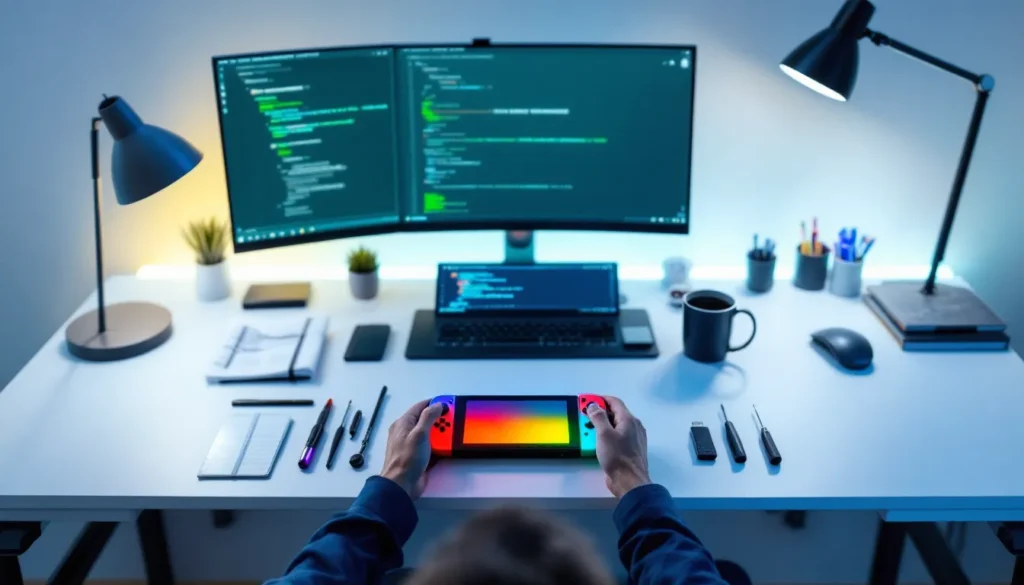
Required hardware depends on your mod type. For cosmetic mods (shells, skins), you need only a small screwdriver set and a flat surface. For software mods, you’ll need a PC or laptop with USB access, a USB-C cable, and downloaded mod files from trusted sources. For emulation or advanced customization, you may need an SD card reader and a microSD card (usually 64GB or larger, though you’ll only use a fraction of that space).
Download tools carefully. The modding community hosts installers and utilities on dedicated forums and GitHub repositories. Reputable sources include established Discord servers, subreddits dedicated to Switch modding (though discuss modding cautiously, some communities are stricter than others), and well-maintained GitHub projects with clear documentation and recent updates. Avoid sketchy download links, torrent sites, or unverified Discord bots offering “easy install” packages: malware has targeted modders before.
Installation Best Practices and Common Pitfalls
Start with the easiest modifications first. If you’re new to modding, begin with a replacement shell or screen protector. These carry zero technical risk and build confidence. Watch installation videos specific to your shell model, brands have slightly different assembly methods.
For software mods, disconnect from Nintendo’s servers before anything else. Go into System Settings, delink your Nintendo Account, and disable internet connectivity. This sounds paranoid, but it’s not: a single online session with a modded console can trigger automatic bans. Some modders use a secondary, unlinked account for testing mods before switching back to their main account for offline gaming.
Follow installation guides step-by-step without shortcuts. Each mod has specific prerequisites, certain firmware versions, required patches, or dependencies on other software. Skipping a step or using outdated files causes bricking (a console that won’t power on). Always download the latest version of whatever tool you’re using, read the full readme file, and watch tutorials from trusted creators like those on specialist tech channels.
Common mistakes kill consoles. Don’t install multiple conflicting mods simultaneously: add them one at a time and test between each addition. Don’t ignore firmware compatibility warnings. Don’t download mods from random links in Discord DMs. Don’t assume an older guide from 2023 still works in 2026, the landscape shifts as Nintendo patches vulnerabilities and the community develops workarounds.
Backup everything before software modifications. Create a full system backup using built-in tools or third-party software. If something breaks, you can restore from that backup. This single step prevents the majority of catastrophic failures.
One often-overlooked risk: thermal stress. Modded systems sometimes run hotter because overclocking mods push the CPU/GPU harder, and emulators stress the hardware continuously. Ensure your console has adequate ventilation, use the dock for longer sessions, and consider a cooling case if you’re running intensive emulation for extended periods. Heat damage is permanent and unrecoverable.
Popular Nintendo Switch Mod Communities and Resources
The Switch modding community is vibrant but fragmented across platforms. The largest hubs are Reddit communities (though Reddit has cracked down on mod discussion), Discord servers with thousands of members, and dedicated forums. Each has different moderation philosophies: some strictly forbid piracy discussion, others are more permissive. Newcomers should lurk first to understand each community’s rules before asking questions.
GitHub is essential for technical modders. Developers post open-source tools, installation scripts, and compatibility lists there. Searching “Nintendo Switch mods” on GitHub returns hundreds of repositories, some active, others abandoned. Check the last update date and read issues threads to gauge whether a tool is still maintained. Active projects with recent commits and quick issue responses are safer bets than dead repos.
YouTube is invaluable for visual walkthroughs. Channels dedicated to console modding post detailed installation videos, troubleshooting guides, and hardware reviews. Search for your specific console model and mod type, “Switch OLED modding 2026” or “Zelda framerate unlock guide”, and sort by upload date to find current tutorials. Comments sections often reveal problems others encountered, valuable intel before you start.
Specialist sites like Eurogamer occasionally cover modding news and cultural impact, offering perspective on how the community evolves. Following gaming outlets gives context on Nintendo’s enforcement actions and legal developments that might affect your modding plans.
Discord servers are where real-time support happens. Most popular mods have dedicated Discord communities where developers answer questions and share updates. Join these before you start modding: the instant feedback prevents hours of frustration. But, be respectful, modders answer questions for free, and spam or entitled behavior gets you kicked.
The modding community’s culture emphasizes education over distribution. Guides teach how to do things: sharing pirated game ROMs or stolen content is universally condemned. This distinction matters legally and ethically. Educational resources are abundant: the community wants you to learn, not cheat.
Legal and Warranty Considerations Before You Mod
Nintendo’s legal position is unambiguous: the company views console modification as a violation of the DMCA (Digital Millennium Copyright Act) in the United States and similar laws internationally. Modding your console isn’t illegal for personal use in most jurisdictions, but distributing mod tools, circumventing copyright protections, or selling modded consoles crosses into legally risky territory. The distinction is crucial: using a mod for yourself is a gray area: selling mods or pirated content is clearly illegal.
Your warranty is gone the moment you open the console or install software modifications. Nintendo explicitly voids warranty for any modified hardware. This means if your Switch has an unrelated defect, a faulty dock connector, screen dead pixels, or Joy-Con drift, Nintendo won’t repair it under warranty once they detect modifications. You’ll be stuck paying out-of-pocket for repairs or buying a new console.
Account suspension is Nintendo’s enforcement tool for online modding. The company’s anti-cheat and mod detection systems scan connected consoles. Using online services, playing multiplayer, accessing the eShop, or syncing saves to the cloud, with a modded console risks detection. Nintendo has issued permanent bans to users caught running modified software, particularly when that software enables online cheating. The bans are swift and often permanent: Nintendo rarely offers second chances.
The legal landscape shifted in 2024–2026 as enforcement became more sophisticated. Nintendo deployed machine learning systems to identify modded consoles connecting to its servers, making ban detection faster and less predictable. Some users thought they were safe running offline-only mods: they weren’t, because a single online session could trigger retroactive bans. The community’s current advice: if you mod, assume you’re sacrificing online gaming on that console permanently.
Emulation muddies the waters further. Running an emulator itself is legal: the emulator code doesn’t infringe Nintendo’s copyright. But running commercial games through that emulator, even games you own, enters legal ambiguity. Nintendo argues that emulation infringes their intellectual property. The community counters that preservation and format-shifting owned games should be protected. Legally, this remains unsettled. No court has definitively ruled whether home emulation of owned games is fair use. Until there’s precedent, assume the risk is yours if you’re caught.
ROM distribution is clearly illegal. Downloading game ROMs from the internet, even for systems Nintendo no longer sells, violates copyright law. Some communities try to excuse this as “abandonware” or preservation, but legally it doesn’t hold water. Publishers and copyright holders control distribution rights, and Nintendo actively enforces theirs. If you want to emulate, obtain ROM files legally (dump them from cartridges you own, or use legitimate sources when available).
A practical approach: treat mods as a one-way ticket. Once you modify your Switch, assume that console is no longer eligible for warranty service, online play, or Nintendo support. Buy a second console if you want to keep one pristine for online gaming. This eliminates legal and practical risk, your modded console is yours to experiment with freely, and your official console remains safe.
International law varies. Europe and Australia have different consumer protection standards that sometimes override manufacturer warranties. Japan has broader fair use protections. But if you’re in North America, Nintendo’s terms are strict and well-enforced. Research your local laws before modding, especially if you’re sharing content or selling modded consoles (which is unambiguously illegal in most places).
Conclusion
Nintendo Switch mods in 2026 represent a mature ecosystem: the tools are sophisticated, the community is helpful, and the possibilities are genuine. Whether you’re customizing your console’s appearance with replacement shells, pushing performance limits with framerate unlocks, or exploring emulation, there’s a pathway for almost any interest. The barrier to entry has never been lower, a first-time modder can install a cosmetic mod in minutes with nothing but a screwdriver.
But maturity also means consequences. Nintendo’s enforcement infrastructure is more capable than ever. Account bans are real, warranty loss is absolute, and the legal ambiguity around emulation and ROM distribution hasn’t resolved. Modding isn’t inherently risky if you understand what you’re sacrificing: official support, online gaming, and peace of mind about your purchase.
The final calculus is personal. If you value the ability to customize your console, unlock performance, or preserve classic games through emulation, and you’re willing to treat that modified console as separate from your official gaming life, modding is absolutely worth exploring. The communities are welcoming, the guides are thorough, and the technical knowledge you’ll gain is valuable. Just enter with eyes open: read the latest guides, join active communities, disconnect from online services, and accept that your modded Switch is a playground where warranty and official support no longer apply. Do that, and you’ll join thousands of gamers who’ve successfully extended their consoles’ potential and created genuinely unique hardware.
For gamers interested in optimizing their entire console ecosystem, understanding controller repair is equally important, the Ultimate Guide to Nintendo Switch Pro Controller Repair covers common issues and DIY fixes that pair well with hardware customization projects. Similarly, exploring performance considerations across different titles and platforms provides context for why mods like framerate unlocks matter so much to the competitive gaming crowd.