The Nintendo Switch Pro Controller has been the standard choice for serious gamers since its release, and it remains the best option for anyone ditching the Joy-Cons for extended gaming sessions. Whether you’re grinding competitive multiplayer, exploring open worlds, or tackling precision platformers, the Pro Controller delivers the responsiveness and comfort that separates casual play from serious gaming. This guide breaks down what makes it tick, from design and connectivity to setup and real-world performance, so you can squeeze every advantage out of your investment.
Key Takeaways
- The Nintendo Switch Pro Controller offers superior ergonomic design and build quality, making it the best choice for extended gaming sessions over the standard Joy-Cons.
- Analog sticks on the Pro Controller are more durable and resistant to drift issues, delivering tight response times essential for competitive and precision-demanding games.
- With 40 hours of battery life per charge and reliable Bluetooth connectivity up to 30 feet, the Pro Controller minimizes distractions during long gaming marathons.
- Input latency is virtually non-existent at 5-10ms, making the Nintendo Switch Pro Controller viable for competitive titles where responsiveness directly impacts gameplay.
- Setup is simple and one-time only—just hold the Sync button for three seconds in the Controllers menu, and the Pro Controller automatically reconnects to your Switch thereafter.
Design and Build Quality
The Pro Controller’s design is where Nintendo showed it actually listens to its players. It’s noticeably heavier than Joy-Cons, with a substantial weight that gives it a premium feel without being unwieldy. The matte finish on the back resists fingerprints better than glossy alternatives, which matters during long gaming marathons when your hands might get sweaty.
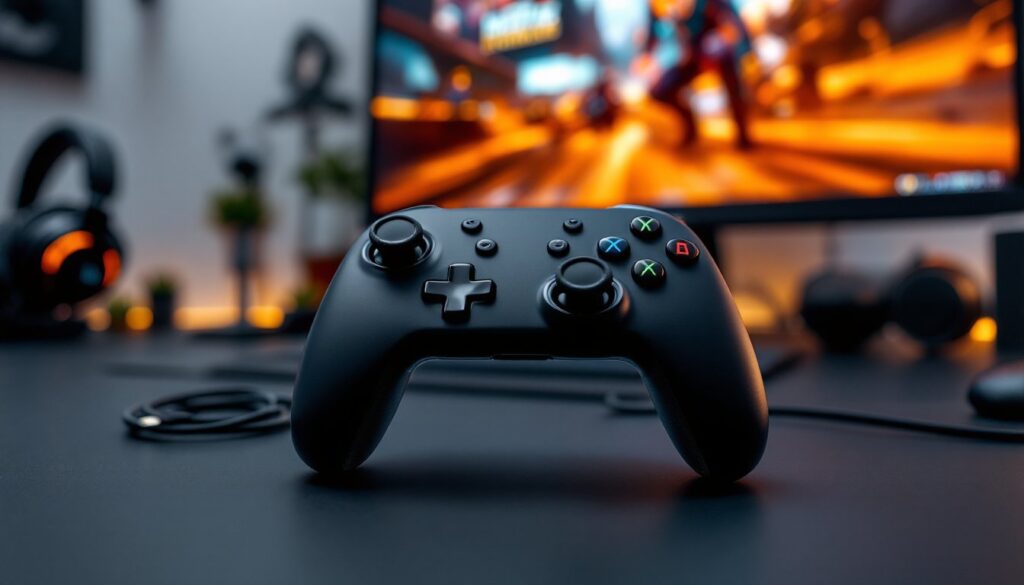
The grip is ergonomic, curved edges fit naturally in your palms, and the controller sits at an angle that reduces strain on your wrists during extended play. The button placement is familiar if you’ve used a PlayStation or Xbox controller, making the transition seamless for cross-platform gamers. Everything feels sturdy. The shoulder buttons don’t flex, and the triggers have consistent resistance throughout their range of motion.
One thing to note: the Pro Controller is bulkier than Joy-Cons, so it’s not ideal for portable gaming on the go. Stick with Joy-Cons for Nintendo Switch if you need portability. For docked play, though, this controller is unmatched in comfort and build quality.
Button Layout and Controls
The button layout mirrors standard gaming controller conventions, A, B, X, Y on the right, D-pad on the left. Each button has a satisfying tactile response with just enough resistance to feel intentional without requiring excessive pressure. The buttons are slightly recessed, which prevents accidental presses during intense gameplay.
The dual analog sticks are the critical component here. They’re centered, full-range sticks with smooth, consistent resistance. Response time is tight, important for games demanding quick input changes like fighting games or fast-paced shooters. The sticks aren’t prone to the drift issues that plagued Joy-Cons, though like any analog stick, they can eventually wear with thousands of hours of use.
Triggers (ZL and ZR) are analog, meaning they register partial presses. This is crucial for games like racing sims or third-person action games where you need variable throttle or draw speed. The bumpers (L and R) are digital, providing quick, responsive inputs for abilities or weapon switching. If you’ve experienced Joy-Con drift issues, the Pro Controller’s stick durability is a major upgrade.
Connectivity and Battery Life
The Pro Controller connects via Bluetooth wireless, offering a reliable connection range of roughly 30 feet under typical conditions. Connection is stable across the entire docked and handheld experience, no lag, no random disconnections if you’re within reasonable range of your Switch console.
Battery life is where the Pro Controller really shines. A full charge lasts roughly 40 hours of gameplay, which translates to weeks of casual use or several intense gaming sessions for competitive players. The internal battery uses lithium-ion technology, so it maintains capacity reasonably well over years of ownership. You’ll recharge via USB-C, and the cable is included in the box.
The controller supports rumble feedback and motion controls, both of which work flawlessly. Rumble isn’t as intense as some third-party controllers, but it’s precise enough to feel individual impacts and effects. Motion controls are responsive for games that require gyro aiming, though most players will stick to analog sticks for precision-demanding titles.
One consideration: there’s no built-in headphone jack. If you need audio while using the Pro Controller, you’ll need to use your Switch’s speakers or connect wireless earbuds to the console separately.
Pairing and Initial Setup
Setting up the Pro Controller is straightforward, even for first-time users. The real challenge isn’t the process itself, it’s just remembering the exact button sequence.
Wireless Connection Process
First, power on your Nintendo Switch and navigate to Controllers in the system settings menu. Press the Pair Controllers option. On the Pro Controller, press and hold the Sync button (located on the back, between the shoulder buttons) for three seconds. The controller will begin searching for a connection.
Your Switch should detect the Pro Controller within seconds. Select it from the list of available controllers, and the pairing completes automatically. The wireless connection initializes immediately, no additional setup required.
After initial pairing, the controller remembers your Switch and reconnects automatically when powered on. If you want to pair the Pro Controller with a second Switch console, follow the same process on the second device. The controller will switch between consoles based on which one was powered on most recently, though you can manually re-pair if needed.
If you experience connection issues, a simple fix is to restart both the controller and console. Hold the power button on the Pro Controller for a few seconds to fully power it down, then power it back on and navigate to Controllers again.
For competitive players using Fortnite or other online games, pairing is a one-time setup, focus your energy on practice instead.
Performance in Gaming
In real-world gameplay, the Pro Controller performs consistently across all major Switch titles. Input latency is minimal, the wireless connection responds to button presses with virtually zero delay. Test results from Pro Settings’ detailed review show response times that rival wired controllers, making it viable for competitive titles where input lag matters.
The controller excels in precision-demanding games. Action titles like Hollow Knight, Celeste, and Super Smash Bros. Ultimate reward the tight stick control and responsive buttons the Pro Controller offers. Trigger sensitivity translates smoothly in racing games, and motion controls work accurately when needed.
One limitation: the Pro Controller doesn’t have programmable buttons. If you need custom button mapping, you’ll need third-party solutions. For most players, the standard layout is intuitive enough that this isn’t an issue.
Input Responsiveness and Lag
Lag is functionally non-existent in practice. Bluetooth latency on the Switch’s Pro Controller is consistently in the 5-10ms range, which is imperceptible during gameplay. Even in fast-paced competitive games, you won’t notice the delay between pressing a button and the action registering on screen.
Button response is instantaneous, there’s no mushy delay or acceleration curve that makes inputs feel unresponsive. Stick repositioning is equally snappy, critical for games requiring rapid directional changes. Experienced competitive players notice when controllers have latency, and the Pro Controller passes the test here.
For streaming or content creation, capture cards for Nintendo Switch work seamlessly with the Pro Controller, no special configuration needed.